Staying close with people shouldn't be hard

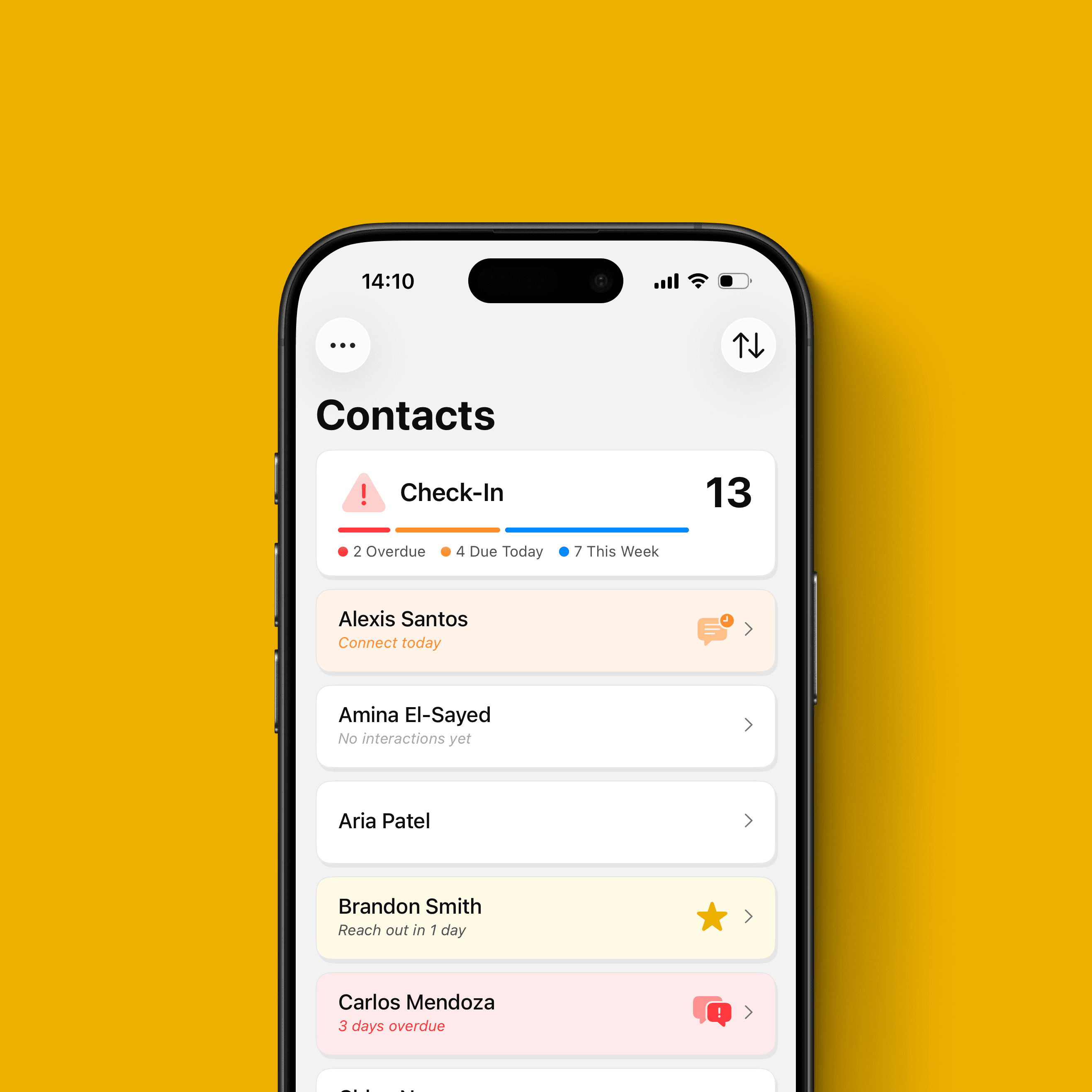
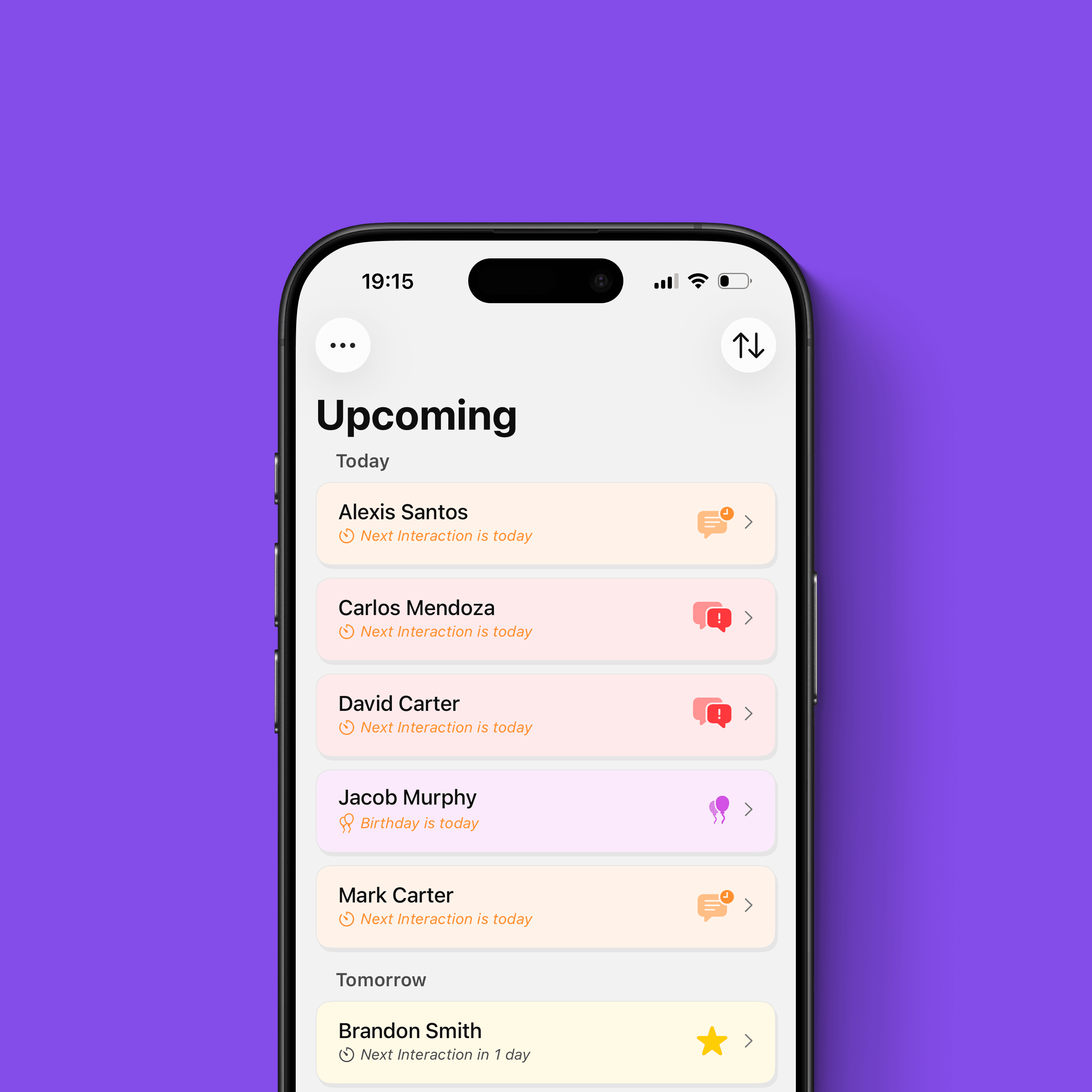
Pipit helps you remember details and context while sending you reminders to reach out after too much time has passed.

Effortlessly stay organized, collaborate with team, and accomplish more with tools designed for seamless productivity.

Stay consistent, stay close

Staying close to the people you care about is harder than it should be. Not because you don’t value the relationship, but because life gets busy, time slips, and context fades. The result is predictable: outreach becomes sporadic, follow-ups get delayed, and relationships slowly drift.


Pipit is designed to make consistency easier. It helps you capture the context you’d normally forget and gives you gentle reminders so you follow through at the right time. Over time, that structure turns “I should reach out” into a simple habit you can maintain.


Add people intentionally, capture quick context after you interact, and get gentle reminders so staying in touch actually happens. Pipit works offline, puts your privacy-first, and syncs across devices with iCloud backup.
Why use Pipit?

Most relationships don’t fade because you don’t care. They fade because life gets busy, details get forgotten, and you don’t realize it’s been months until it’s awkward. Your contacts app stores numbers, not context, and most relationship tools feel like work software. Pipit is built to keep things personal: remember what matters, then follow through at the right time.

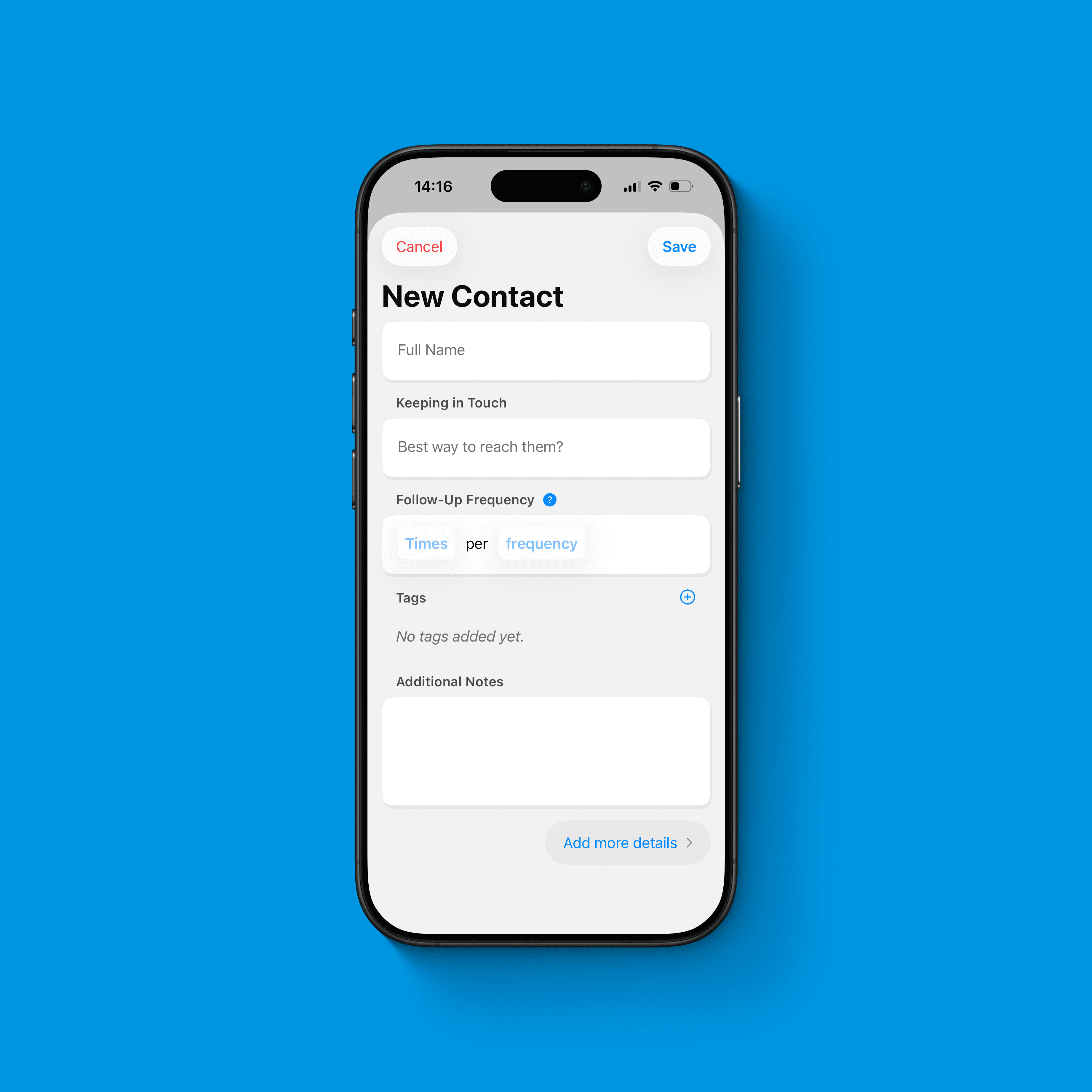
Add Contacts Quickly and Intentionally

Pipit doesn’t import your address book. You add people manually so your list stays intentional, not overwhelming. Add the basics in under a minute, then optionally include richer details like interests, key dates (birthday, anniversary, and your “Spark Day”), relationships, and relationship goals. You decide how much to write down, and Pipit keeps it all in a clean, minimal interface that’s easy to reference.
Capture Interactions

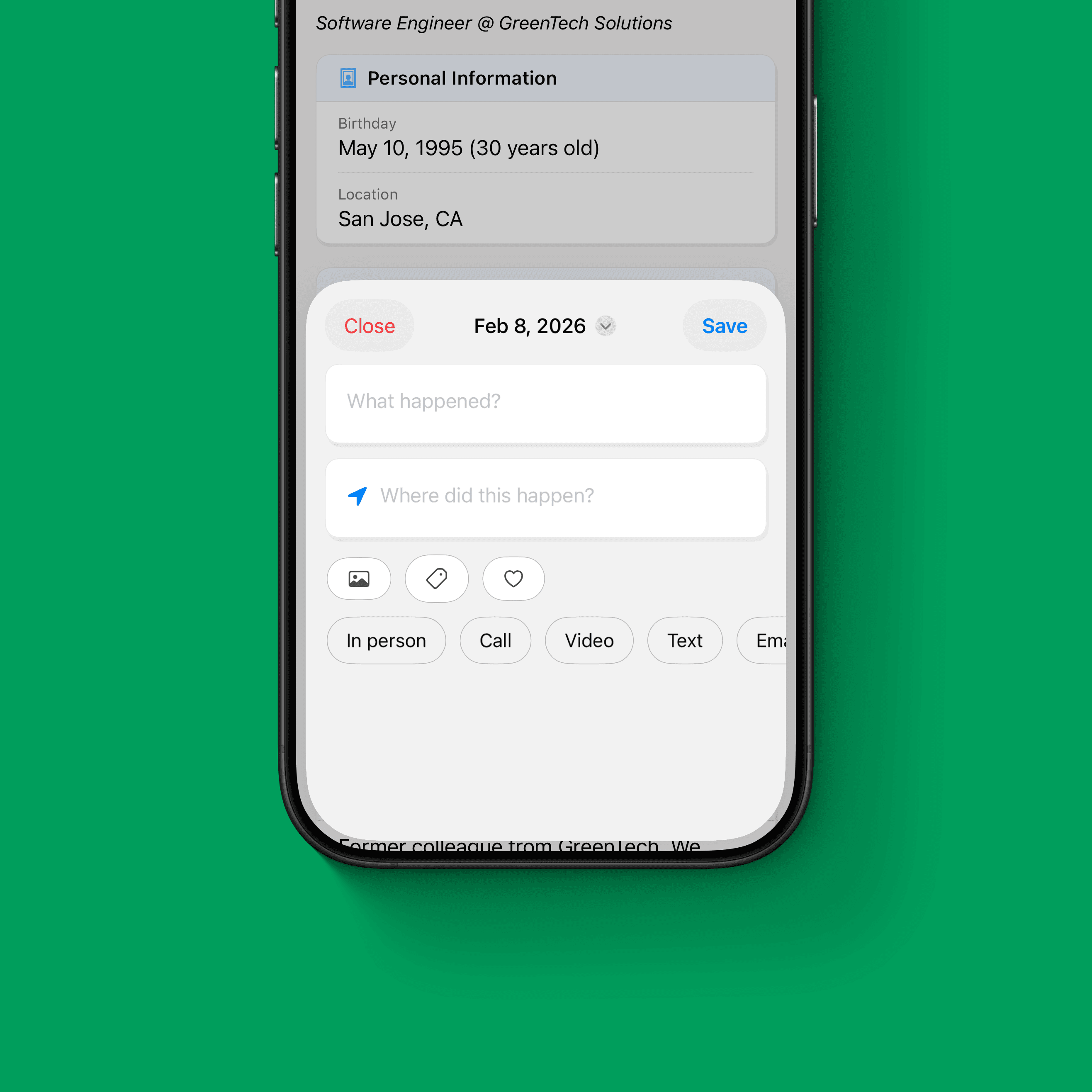
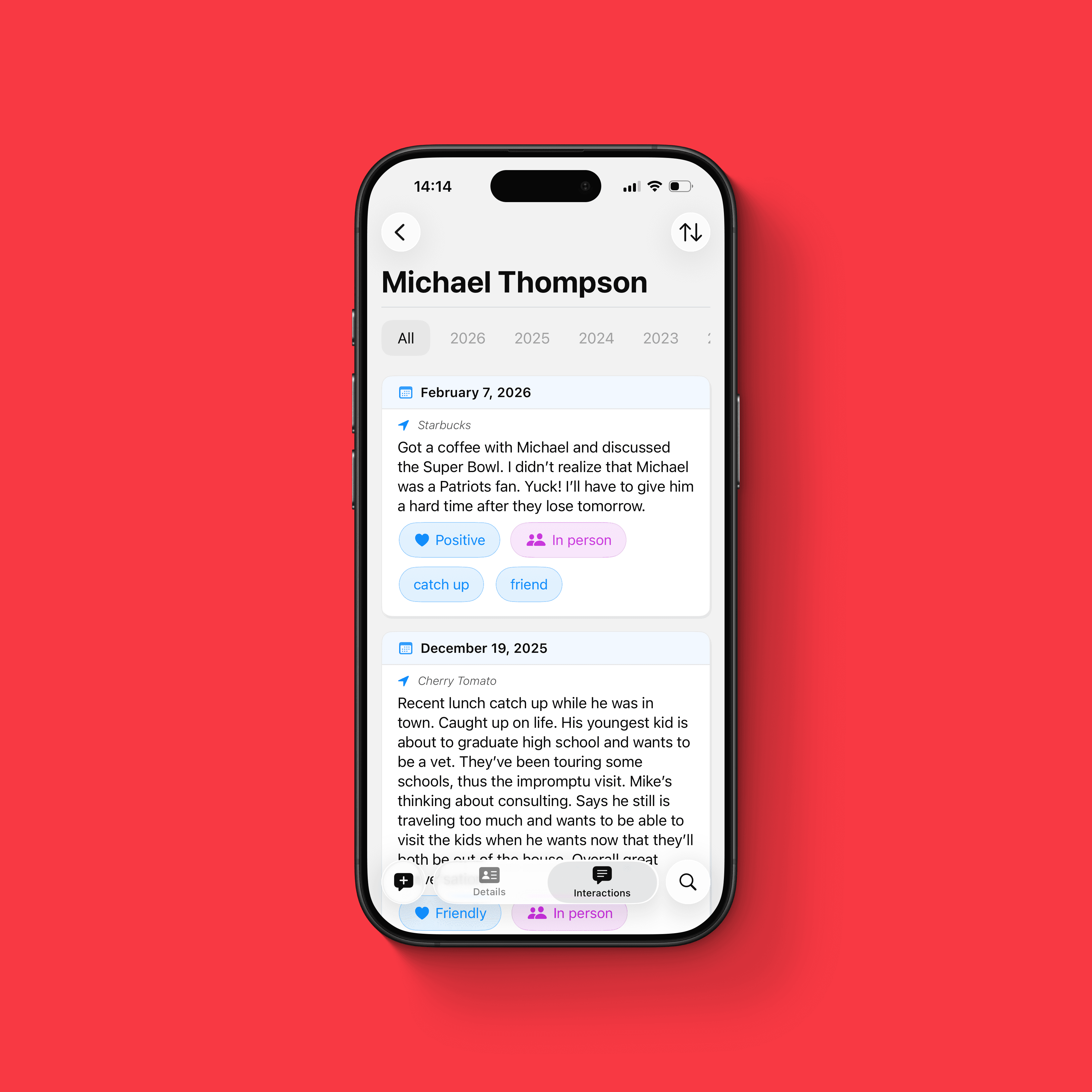
After you see or talk to someone, log a quick interaction so you can remember what happened and pick up naturally next time. Add a short note, tags, mood, method, and up to three images. Later, search and filter across contacts and interactions to pull up the right context before you reach out.

See Your Relationships as a Network

Pipit lets you visualize the connections you’ve explicitly added as a network graph. It helps you spot clusters, understand how people relate, and identify introductions you could make. Nothing is inferred or imported; the graph reflects what you chose to record.

Reminders that Fit Your Routine

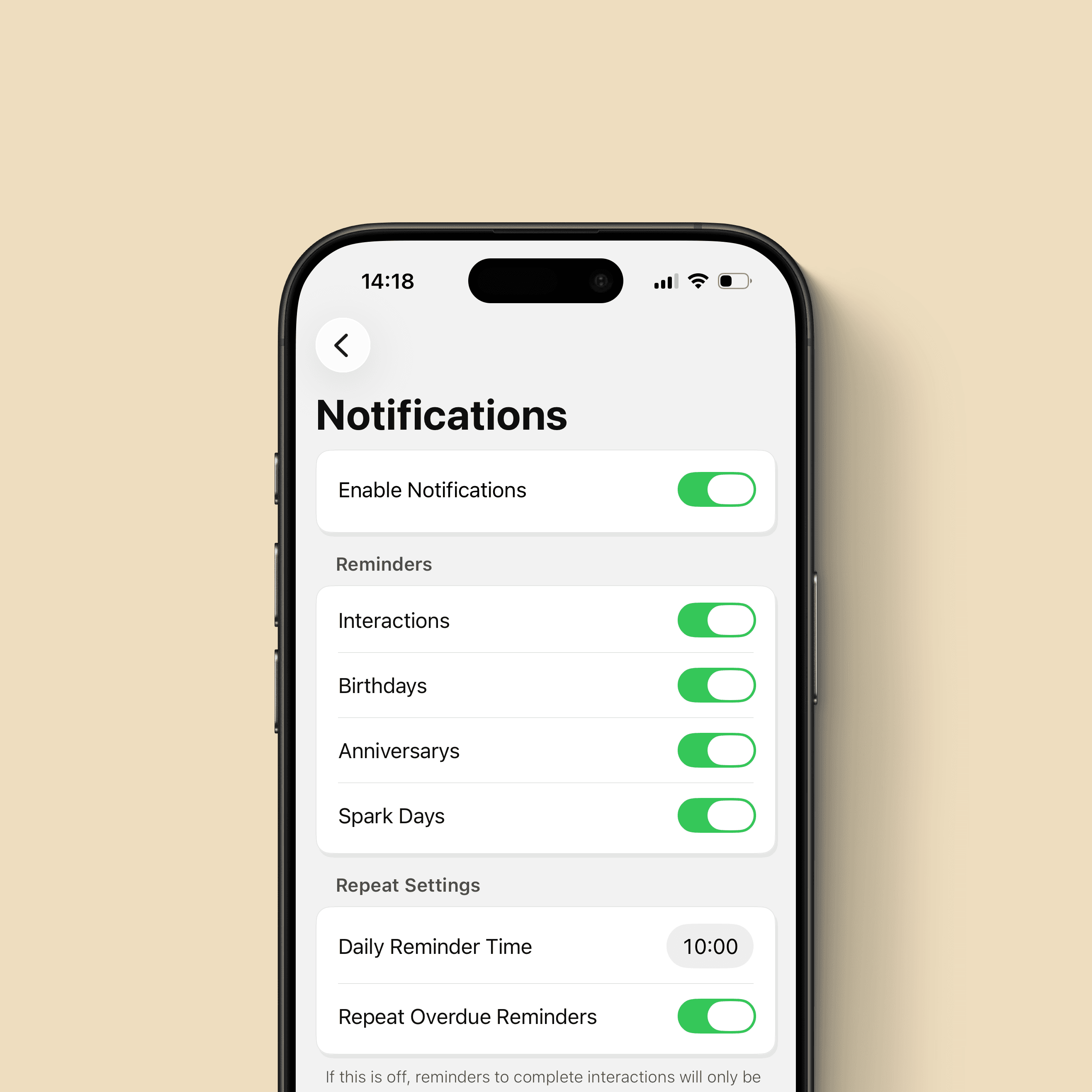
Set how often you want to reconnect and which dates matter (birthdays, anniversaries, Spark Days), and Pipit will send gentle reminders when it’s time. Choose one reminder time each day so you can handle reconnecting with a consistent routine instead of getting pinged randomly and at inopportune times.

Privacy-First and Offline-First

Pipit works offline and doesn’t track you. There’s no analytics and no tracking, because relationship data is personal. Your data stays on your devices, with trusted iCloud backup and sync for multi-device use.
Consistency Beats Intensity

Think of maintaining relationships like fitness. Most people don’t struggle because they don’t know what to do. They struggle because consistency is hard. You don’t get stronger by doing one intense workout once in a while. You get stronger by doing small, repeatable sessions over time.


Keeping up with people works the same way. A single big catch-up call can feel great, but it doesn’t create momentum. What builds real closeness is a steady rhythm: short check-ins, timely follow-ups, and remembering the small details that make someone feel seen.


Pipit is your training plan for relationships. It keeps your “workouts” small and doable: a quick interaction note after you talk, a reminder when it’s time to reconnect, and instant context before you reach out. You pick one reminder time each day, sit down for a few minutes, and handle it like a routine. With repetition, it stops feeling like effort and starts feeling automatic.

The Forever Free Promise

Pipit’s core features are free, and they will stay that way, forever. Staying close to the people you care about shouldn’t be gated behind a paywall, and it’s the kind of tool I wish I’d had earlier, especially in college when money was tight but relationships mattered a lot.


If you want to support ongoing development, you can upgrade to Super Pipit. Super Pipit is the only way Pipit makes money, and it funds continued improvements to the app. It unlocks a growing library of themes and app icons, plus future non-core features as they’re released, while keeping the essentials available to everyone.
Well, a pipit is a type of small, slender passerine bird. But this app is a lightweight relationship manager that helps you remember context and follow through. You add people intentionally, jot quick interaction notes, and get gentle reminders to reach out on a cadence you choose.

What the heck is Pipit?

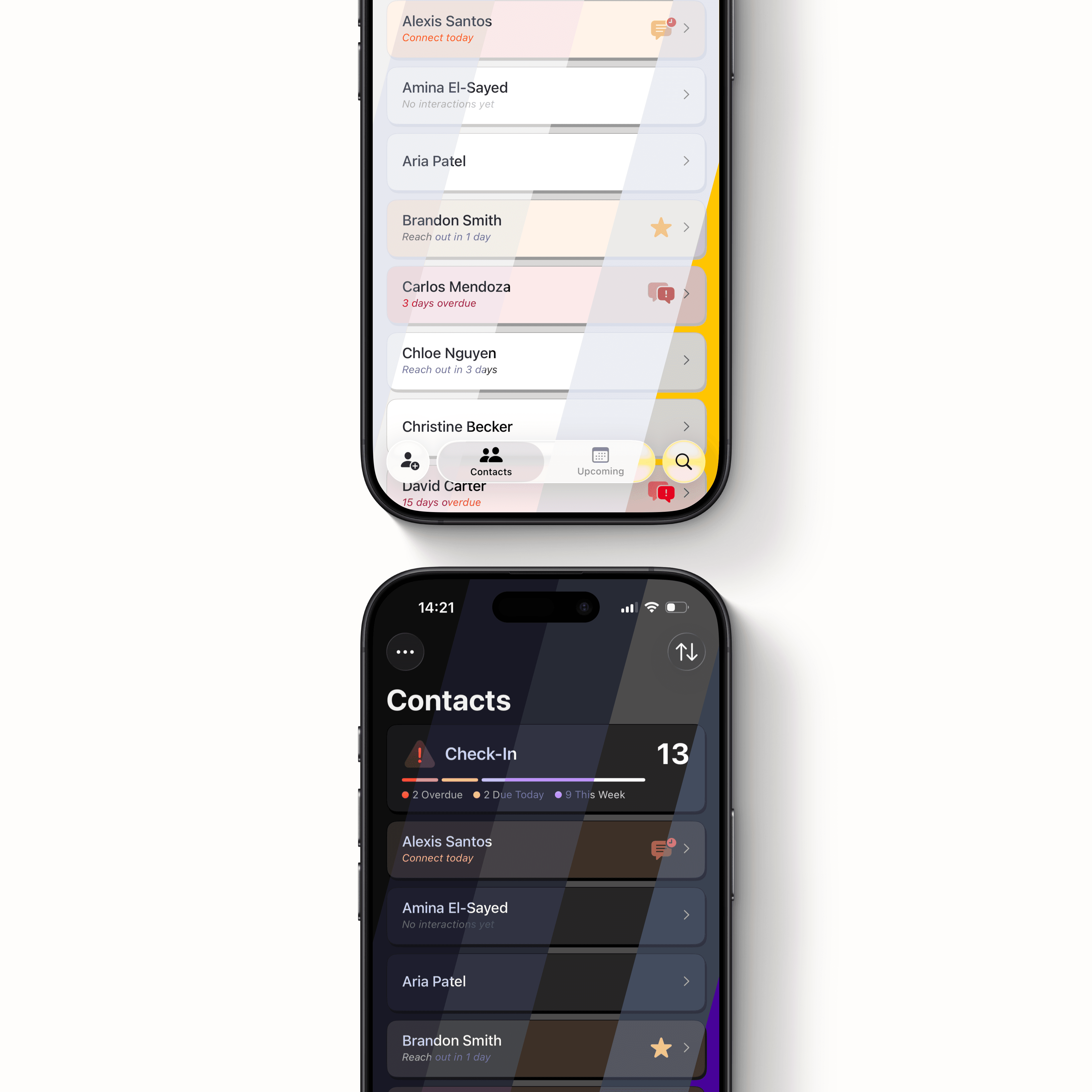
Contacts stores info. Notes stores text. Reminders nags you about tasks. Pipit is built around relationship context + time since last contact, so it’s easy to see who you haven't reached out to in a while, remember what’s going on in their life, and helps with conversation starters when you're ready to reach back out.

How is this different from Apple Contacts, Notes, or Reminders?

Pipit is for anyone who cares about staying connected with others but knows they forget details or let time slip without reaching out. You can use Pipit for friends, family, mentors, former coworkers, networking connections, or whoever you feel is important in your life.

Okay, so who is Pipit for?

An interaction is a quick log of a touchpoint you had with someone (or a meaningful update about them). This helps you to remember context later and keeps your reminder cadence accurate. When you add an interaction, Pipit updates the “last contacted” date and resets that person’s reminder timer.

I can add contacts, but what is an interaction?

Core functionality is free, forever! If you would like to support development, unlock themes and alternative icons, or get future features that enhance your experience in the app, Super Pipit a low-cost monthly subscription that you can purchase within the app.

How much is this going to cost?

Pipit is available to download here through the Apple App Store. Pipit is currently only available on iPhones with no plans to release on other devices or operating systems.

Where can I download this app?

Questions?

Don't hesitate to reach out if you need support or even if you've found a bug.

Well, a pipit is a type of small, slender passerine bird. But this app is a lightweight relationship manager that helps you remember context and follow through. You add people intentionally, jot quick interaction notes, and get gentle reminders to reach out on a cadence you choose.

What the heck is Pipit?

Contacts stores info. Notes stores text. Reminders nags you about tasks. Pipit is built around relationship context + time since last contact, so it’s easy to see who you haven't reached out to in a while, remember what’s going on in their life, and helps with conversation starters when you're ready to reach back out.

How is this different from Apple Contacts, Notes, or Reminders?

Pipit is for anyone who cares about staying connected with others but knows they forget details or let time slip without reaching out. You can use Pipit for friends, family, mentors, former coworkers, networking connections, or whoever you feel is important in your life.

Okay, so who is Pipit for?

An interaction is a quick log of a touchpoint you had with someone (or a meaningful update about them). This helps you to remember context later and keeps your reminder cadence accurate. When you add an interaction, Pipit updates the “last contacted” date and resets that person’s reminder timer.

I can add contacts, but what is an interaction?

Core functionality is free, forever! If you would like to support development, unlock themes and alternative icons, or get future features that enhance your experience in the app, Super Pipit a low-cost monthly subscription that you can purchase within the app.

How much is this going to cost?

Pipit is available to download here through the Apple App Store. Pipit is currently only available on iPhones with no plans to release on other devices or operating systems.

Where can I download this app?

Questions?

Don't hesitate to reach out if you need support or even if you've found a bug.

Well, a pipit is a type of small, slender passerine bird. But this app is a lightweight relationship manager that helps you remember context and follow through. You add people intentionally, jot quick interaction notes, and get gentle reminders to reach out on a cadence you choose.

What the heck is Pipit?

Contacts stores info. Notes stores text. Reminders nags you about tasks. Pipit is built around relationship context + time since last contact, so it’s easy to see who you haven't reached out to in a while, remember what’s going on in their life, and helps with conversation starters when you're ready to reach back out.

How is this different from Apple Contacts, Notes, or Reminders?

Pipit is for anyone who cares about staying connected with others but knows they forget details or let time slip without reaching out. You can use Pipit for friends, family, mentors, former coworkers, networking connections, or whoever you feel is important in your life.

Okay, so who is Pipit for?

An interaction is a quick log of a touchpoint you had with someone (or a meaningful update about them). This helps you to remember context later and keeps your reminder cadence accurate. When you add an interaction, Pipit updates the “last contacted” date and resets that person’s reminder timer.

I can add contacts, but what is an interaction?

Core functionality is free, forever! If you would like to support development, unlock themes and alternative icons, or get future features that enhance your experience in the app, Super Pipit a low-cost monthly subscription that you can purchase within the app.

How much is this going to cost?

Pipit is available to download here through the Apple App Store. Pipit is currently only available on iPhones with no plans to release on other devices or operating systems.

Where can I download this app?

Questions?

Don't hesitate to reach out if you need support or even if you've found a bug.